
Download the algorithm files, import them into NinjaTrader, add them to your NQ chart, and configure order routing to MNQ.
Download all four Quaternion strategy files. Each is a NinjaScript Add-On
.zip
package.
Save all four files to your Downloads folder.
In the Control Center:
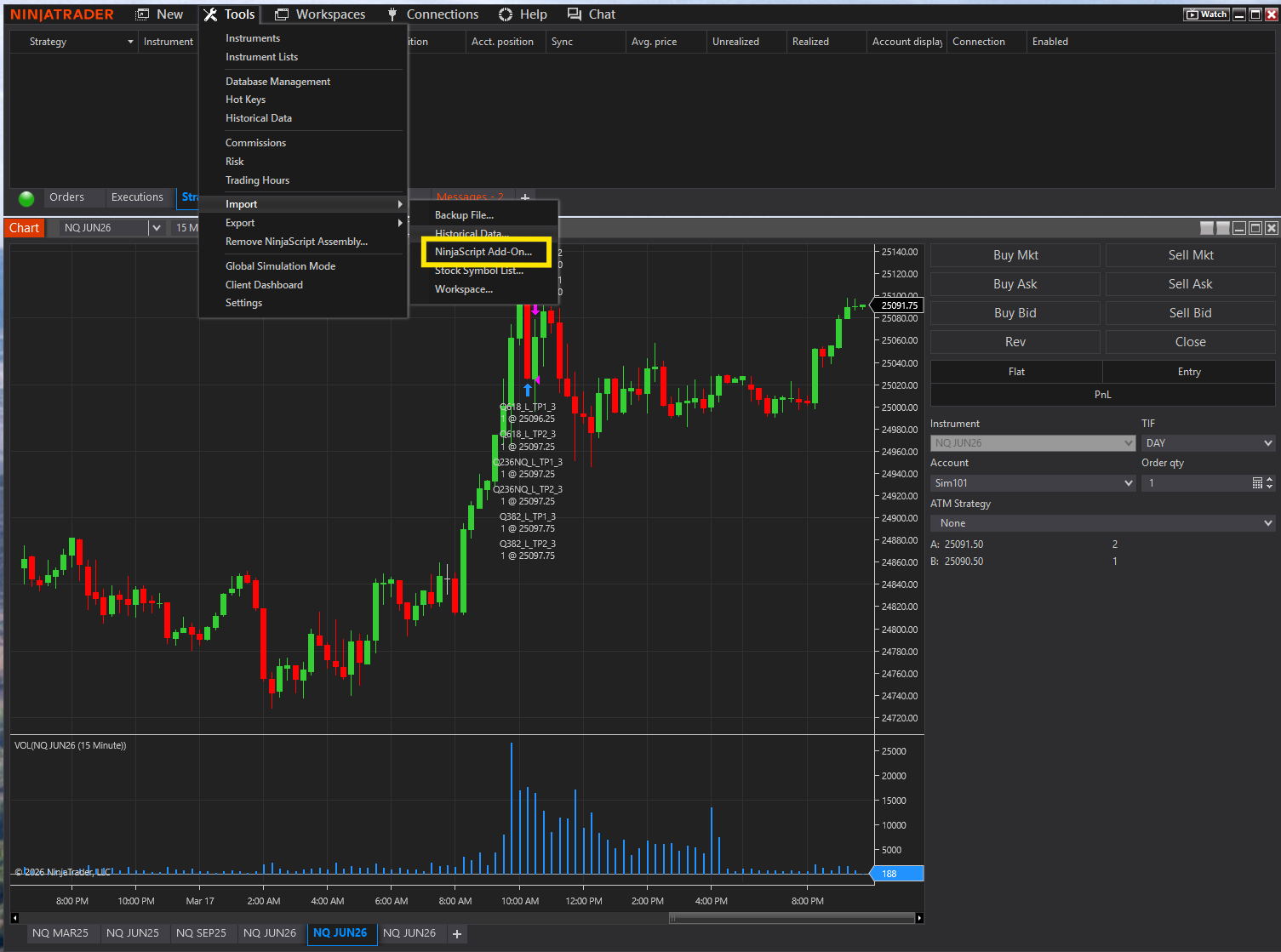
A file browser opens. Navigate to your Downloads folder where you'll see all four .zip files. Select one and click Open.
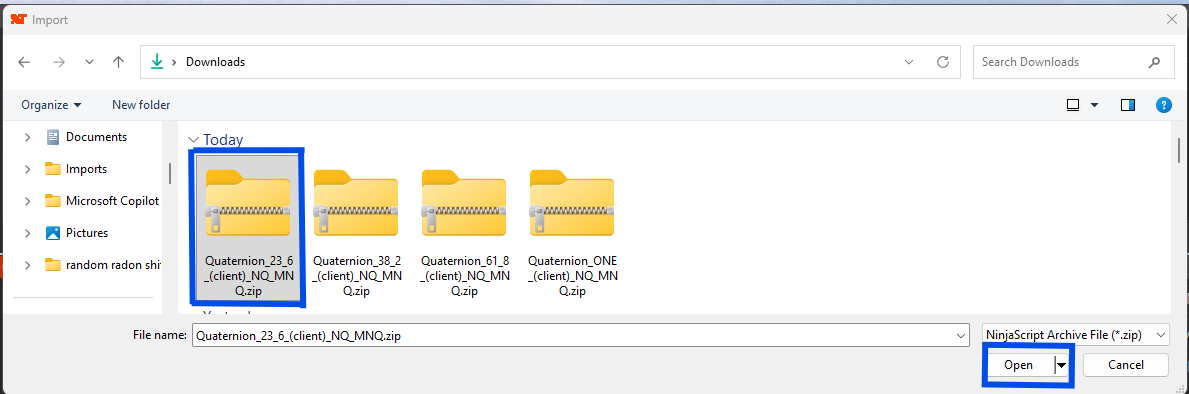
NinjaTrader will import and compile the strategy. A confirmation dialog appears — click OK.
Go through Tools → Import → NinjaScript Add-On for each of the four .zip files. Import all four before moving on.
Click on your NQ chart to make it active. Then click the Strategies icon in the chart toolbar:
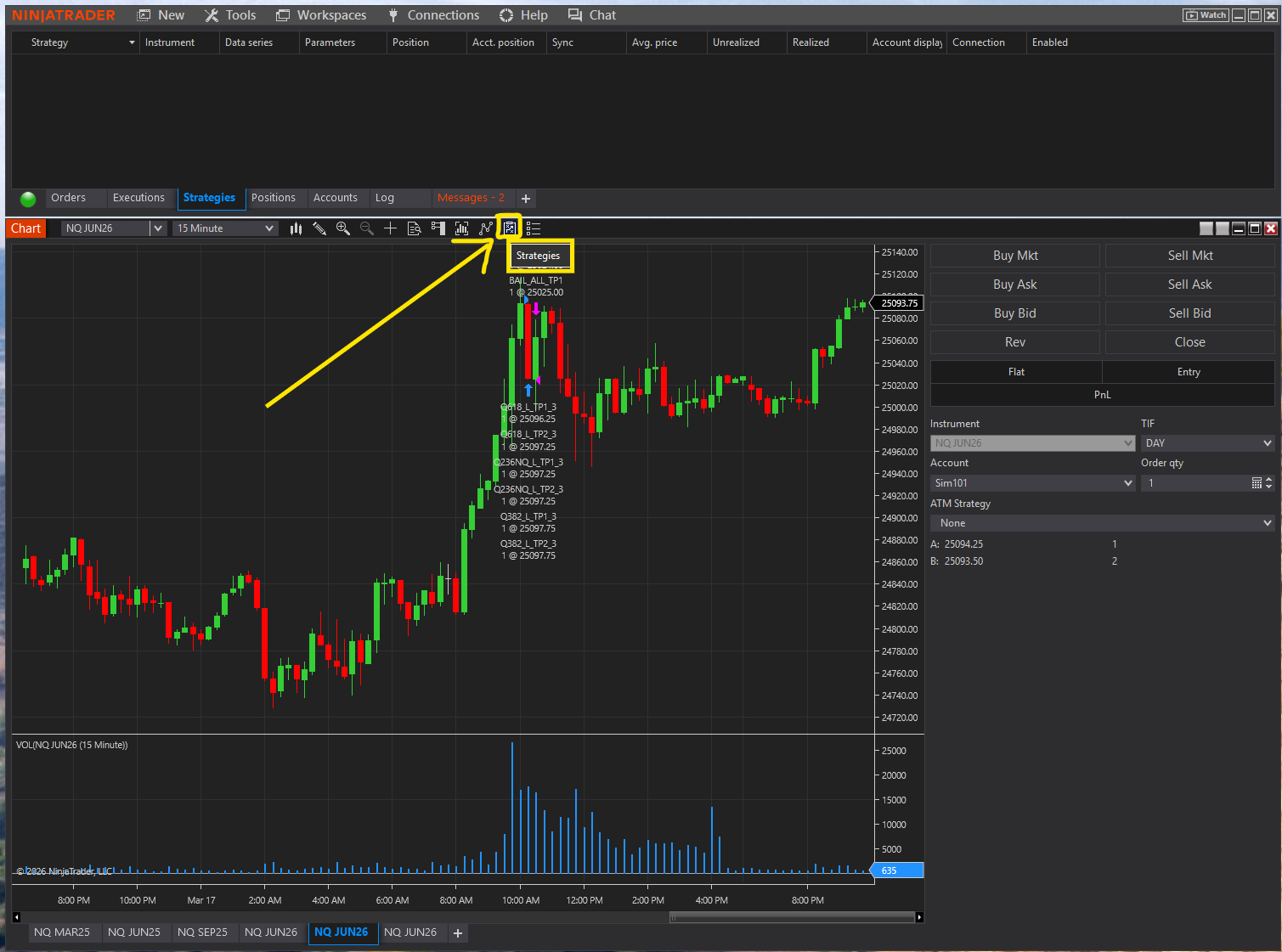
The Strategies dialog opens. This is where you add algorithms to your chart and configure them.
In the Strategies dialog:
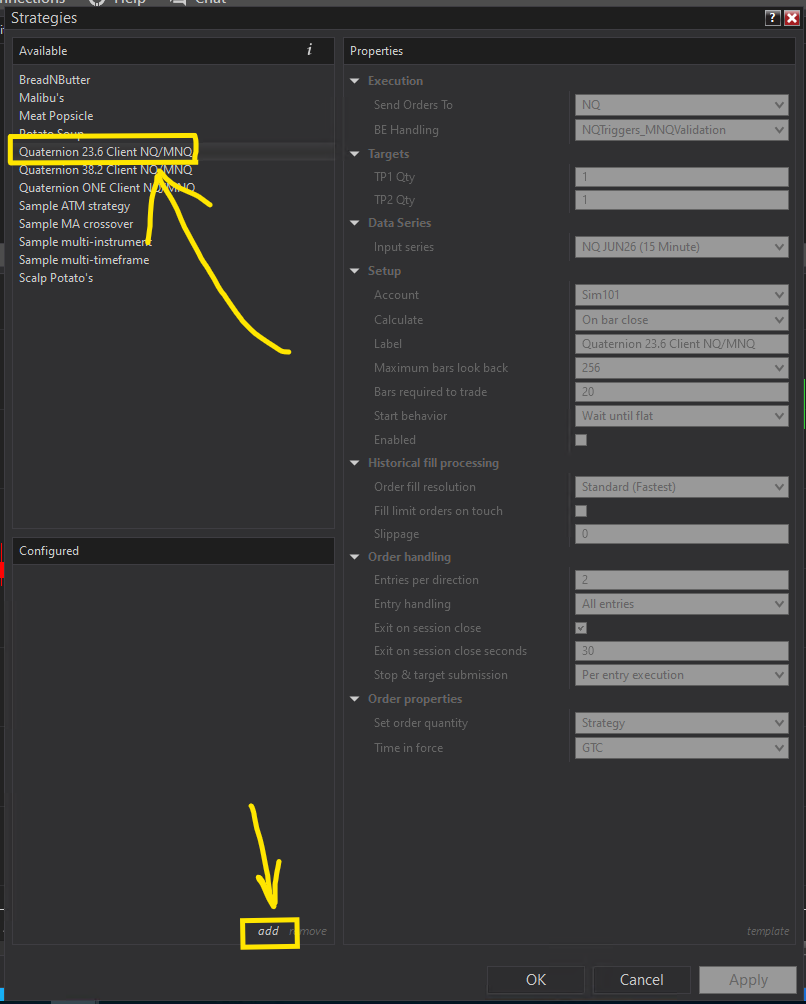
This is the most important setting. The algorithm reads NQ price data but routes orders to MNQ (Micro contracts) for proper position sizing.
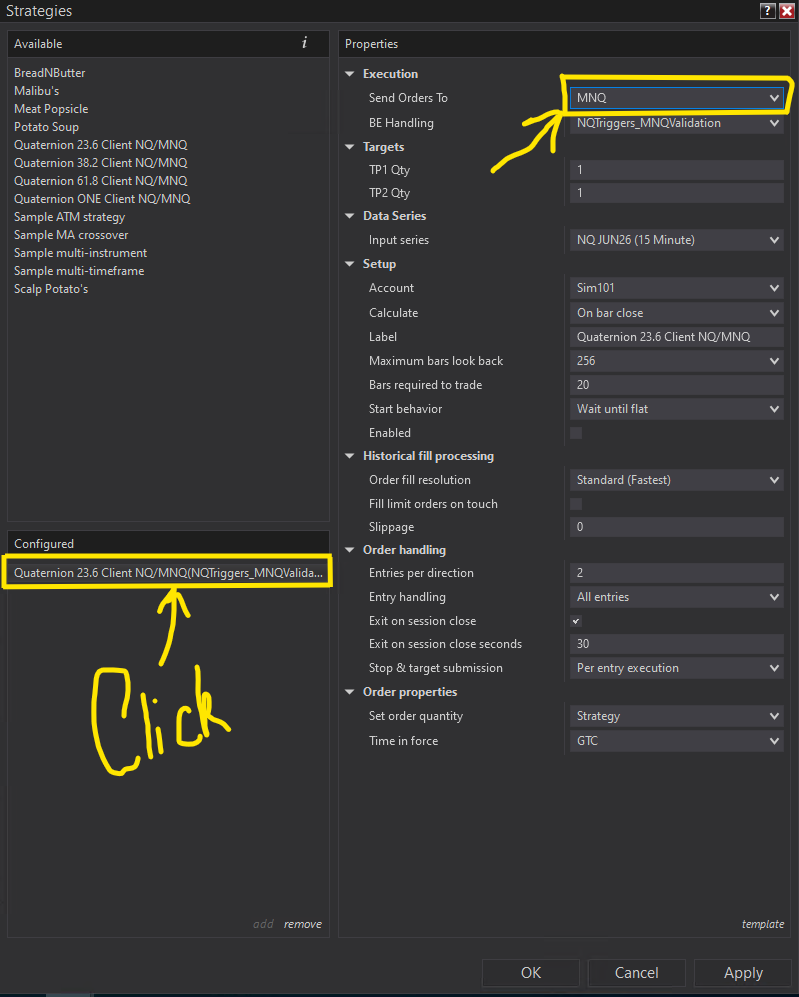
If "Send Orders To" stays on NQ, the algorithm trades full-size E-mini contracts instead of Micros — that's 10x the position size. Always verify MNQ.
Add each Quaternion strategy from the Available list, click add, then change Send Orders To = MNQ. Do this for all four before clicking OK.
After adding all four strategies with MNQ routing, click OK. Your chart and Control Center should now show all four algorithms running:
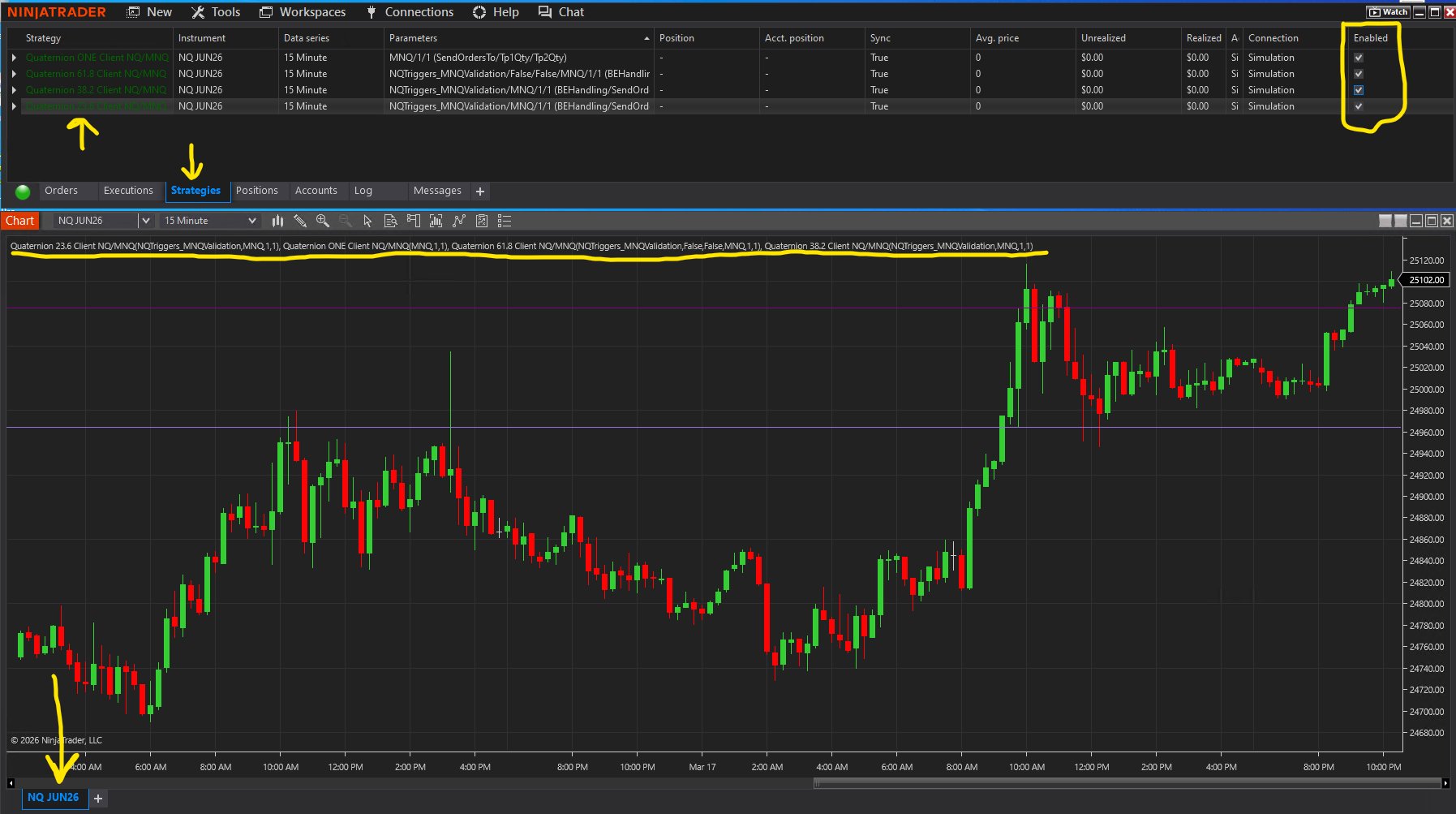
Verify in the Strategies tab:
All four Quaternion strategies are imported, configured with MNQ order routing, and enabled on your NQ chart.
Before moving on, confirm:
Share a screenshot with Oracle on Discord if you'd like verification before continuing.