
Wire your prop firm accounts into NinjaTrader so your algorithms can execute trades. We'll walk through Rithmic (Apex) step by step, then cover Tradovate for other firms.
Rithmic — One connection per firm. Most stable. Use this for your primary firm (Apex).
Tradovate — Multiple connections simultaneously. Use for additional firms that support Tradovate.
You can run both at the same time in NinjaTrader.
For your primary prop firm — Apex Trader Funding
After purchasing your evaluation(s) at Apex, you'll receive an email with your Rithmic login details. You can also find them in your Apex dashboard.
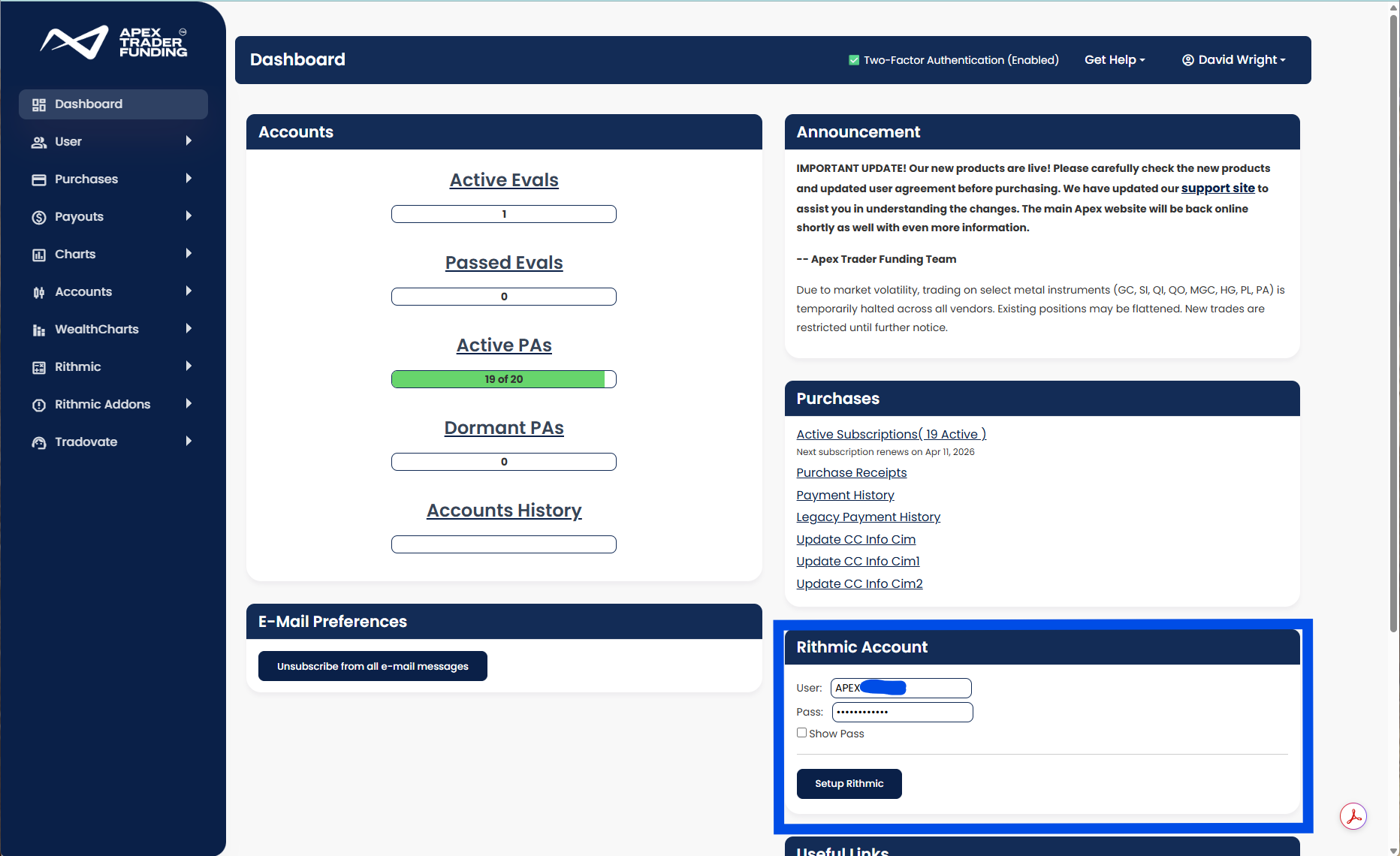
You'll need them for both NinjaTrader and R|Trader Pro. Don't lose this email.
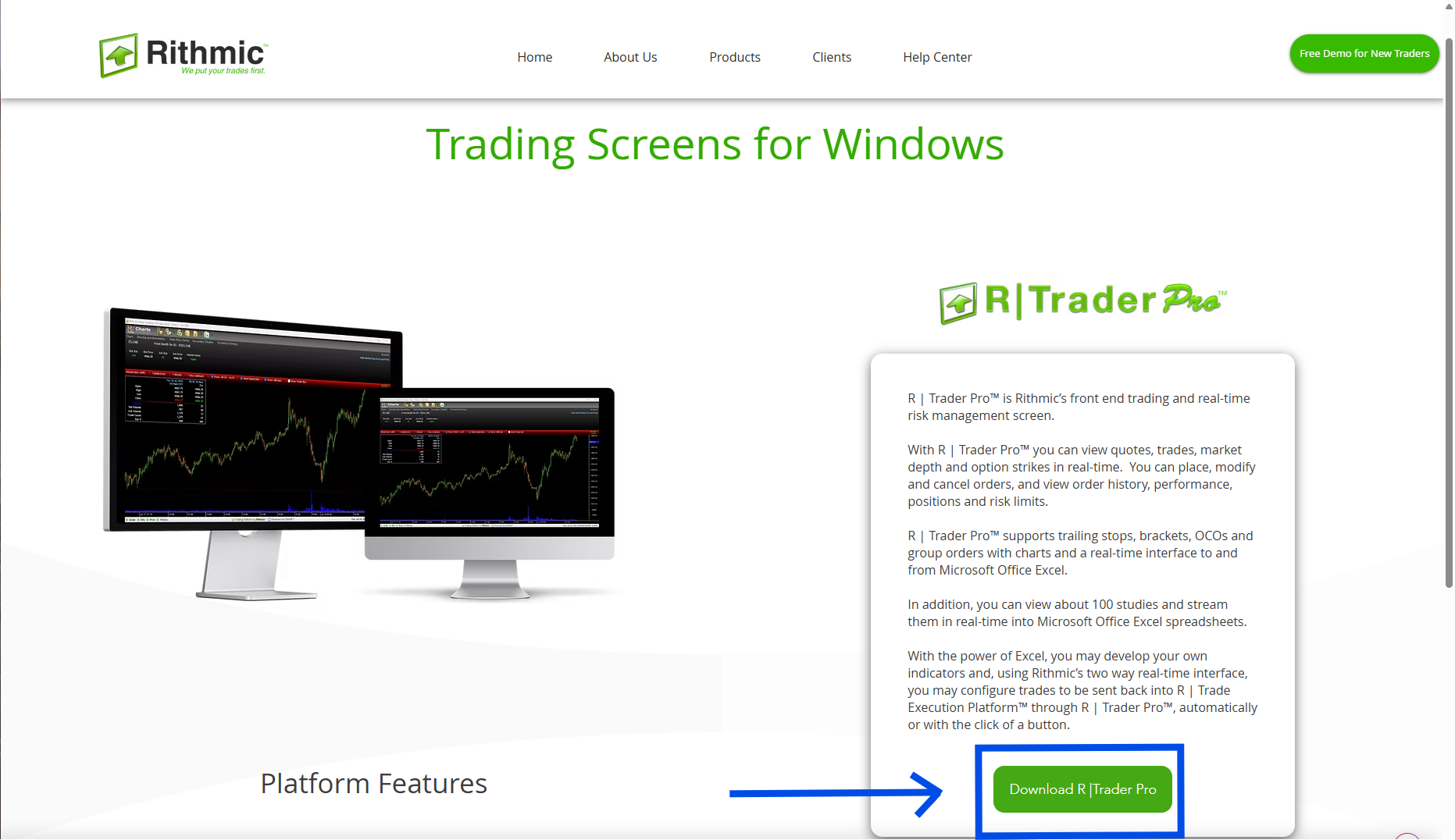
Rithmic connections require R|Trader Pro to be installed and running in the background. This is Rithmic's own platform — you won't trade on it, but it must be open for NinjaTrader to connect.
Download R|Trader Pro from: yyy.rithmic.com
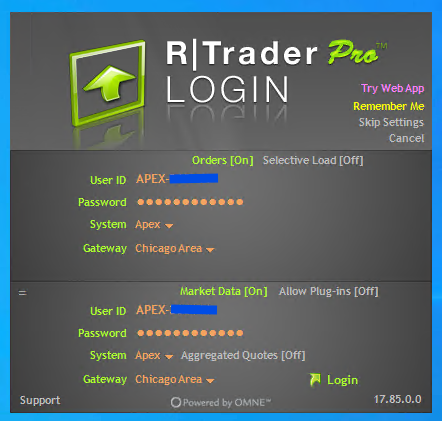
Launch R|Trader Pro and enter your Rithmic credentials from Apex:
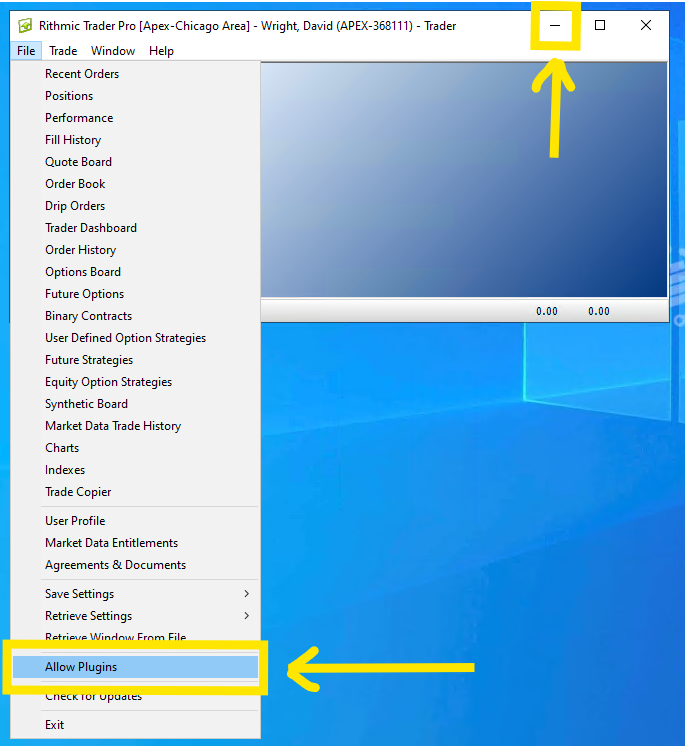
Once logged in, go to File and make sure Allow Plugins is checked. Then minimize R|Trader Pro — it just needs to stay running in the background.
Whenever you want NinjaTrader to connect via Rithmic, open R|Trader Pro first, log in, then open NinjaTrader. This should become your daily startup order.
Now we'll tell NinjaTrader how to connect to your Rithmic account. In the Control Center:

In the Connection Configuration window:
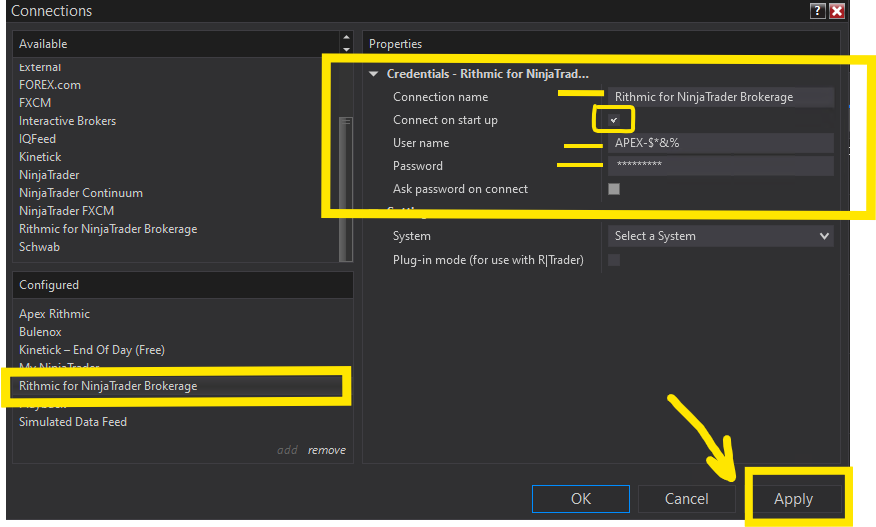
Click OK to save the connection.
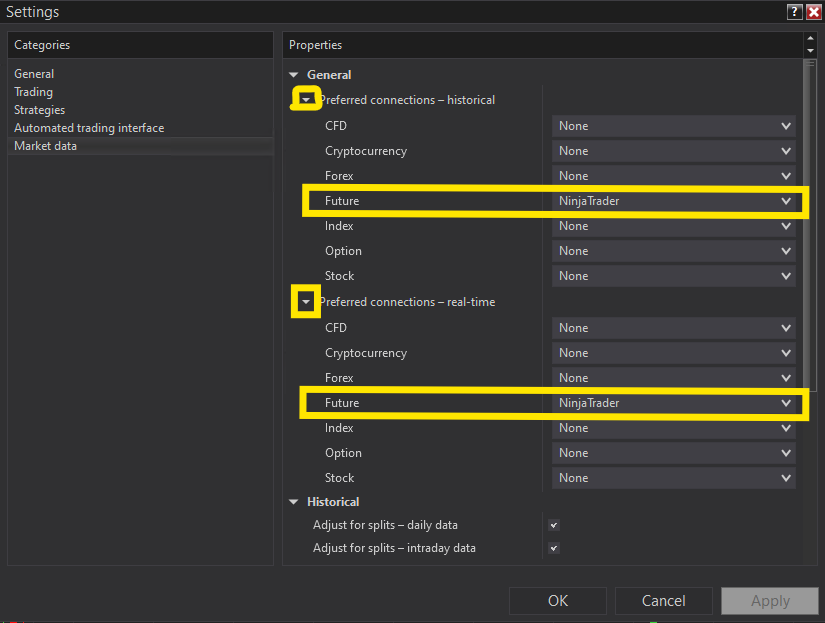
One important setting: your market data source needs to be set correctly.
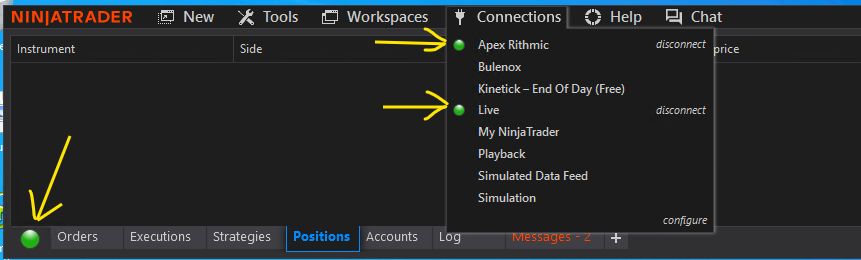
Now connect to your Rithmic account:
The status bar at the bottom of the Control Center will show the connection status. You should see a green indicator when connected successfully.
Click the Accounts tab in the Control Center — you should see your Apex account(s) listed with their balances.

Your Apex accounts are connected to NinjaTrader via Rithmic. You're ready to apply algorithms.
Before moving on, confirm:
For firms that use Tradovate as their trading platform
The process is the same as Rithmic — just select a different provider:
Unlike Rithmic, you can have multiple Tradovate connections active at the same time. Create a separate connection for each prop firm that uses Tradovate. No additional software (like R|Trader Pro) is needed.
Click Connections → [Your Tradovate connection name] to connect. Check the Accounts tab — your Tradovate-based accounts should appear alongside your Rithmic accounts.
You now have both Rithmic (Apex) and Tradovate (other firms) connected. All your accounts are visible in NinjaTrader and ready for algorithms.
Before moving on, confirm: